All guides+
Free plugin
WooCommerce
Separate, unticked boxes for email and WhatsApp offers at checkout and signup, with proof saved on each order.
Buying something is not consent to marketing. The WooCommerce tab gives each marketing purpose its own box, never ticked in advance. The tab appears at Kavin Studios → DPDP Consent only when WooCommerce is active.
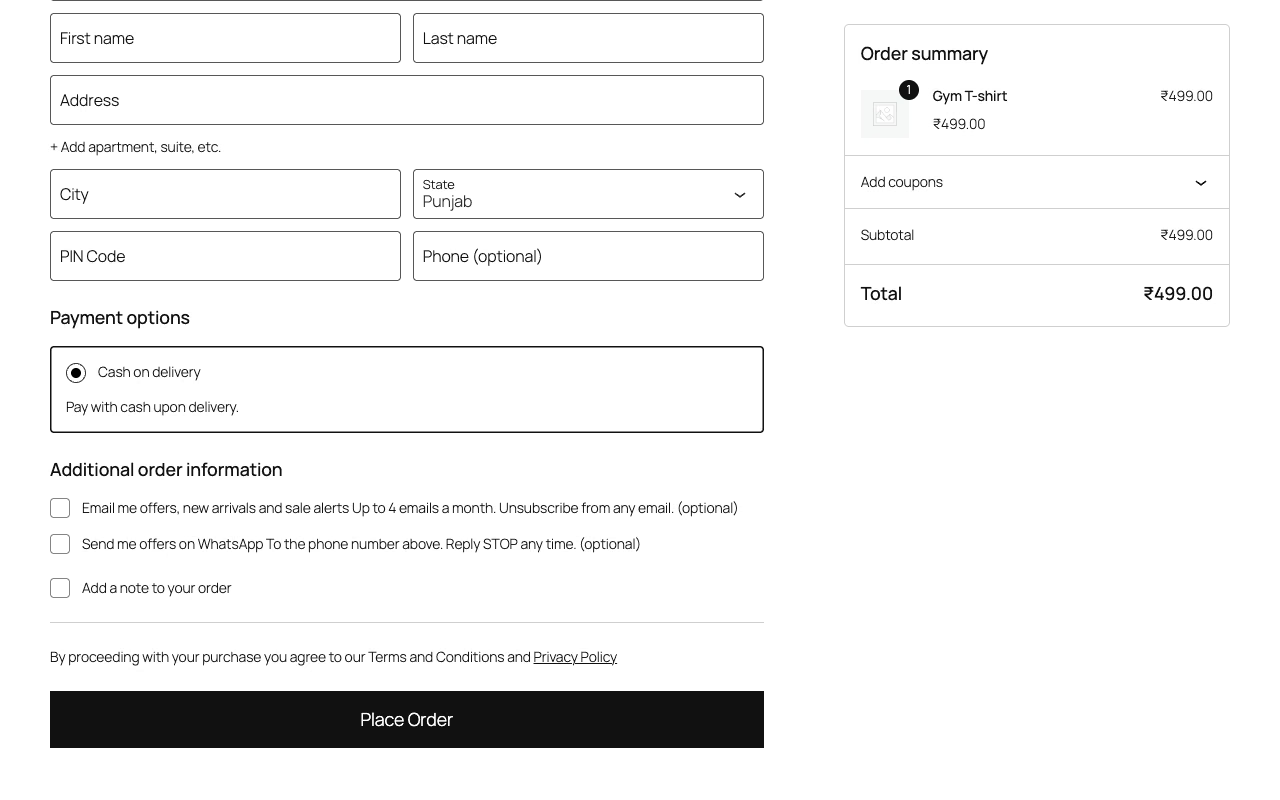
Marketing choices at checkout
There are two purposes: Email offers and WhatsApp offers. For each one you can set:
- Ask for this: switch the box on or off. Both are on by default.
- Checkbox text: what the customer ticks.
- Small print under it: say how often and how to stop. Leave empty to show nothing.
The defaults are:
| Purpose | Checkbox text | Small print |
|---|---|---|
| Email offers | Email me offers, new arrivals and sale alerts | Up to 4 emails a month. Unsubscribe from any email. |
| WhatsApp offers | Send me offers on WhatsApp | To the phone number above. Reply STOP any time. |
Change these to match what you actually send.
Above the Place order button
Order notice sentence is shown above the Place order button, followed by the privacy notice link and grievance email. Default: "We use your details to process and deliver your order." It is shown on the classic checkout.
Click Save checkout choices when you are done.
Where the boxes appear
| Place | What the customer sees |
|---|---|
| Checkout | Classic checkout and the Checkout block. Unticked. |
| Account signup | My Account registration form. Unticked. |
| My Account → Account details | The customer's current choices, under "Offers and messages", so they can untick them. |
The boxes sit under the heading "Optional. Each is a separate choice."
At checkout, a signed-in customer who already agreed to a purpose does not see that box again. This stops them withdrawing by accident.
What is kept as proof
Each order gets a note saying what the customer agreed to and declined, with the notice version. For example:
Marketing consent at checkout (boxes unticked by default). Agreed: email offers. Declined: WhatsApp offers. Notice version 1.0.
The order screen shows a Marketing consent panel under the billing address, with Agreed or Declined for each purpose. A customer's latest choice is saved on their account with the date.
Withdrawing
An unticked box at checkout never cancels an earlier yes. Customers withdraw from My Account → Account details or with the unsubscribe link in your emails.
With Pro, a customer who clicks the withdraw link in a re-notice email is also switched off from email and WhatsApp offers in their account. See Re-notice.
Tracking on your shop
WooCommerce order attribution is treated as an Analytics tool and held back until consent. The site scan also reads your shop, cart, checkout, My Account and a product page. See Tracking tools.