All guides+
ProPro feature
Languages
Offer the consent banner in English, Hindi and the other 21 languages of the Eighth Schedule, and correct any line.
This is a Pro feature.
Get ProThis feature needs Kavin DPDP Cookie Consent Pro with an active licence. Pro is an add-on: it needs the free Kavin DPDP Cookie Consent plugin installed and active.
Section 5(3) of the DPDP Act: a visitor must be able to read your notice in English or any of the languages of the Eighth Schedule. The free plugin gives you English and Hindi. Pro adds the other 21, on the Languages tab at Kavin Studios → DPDP Consent.
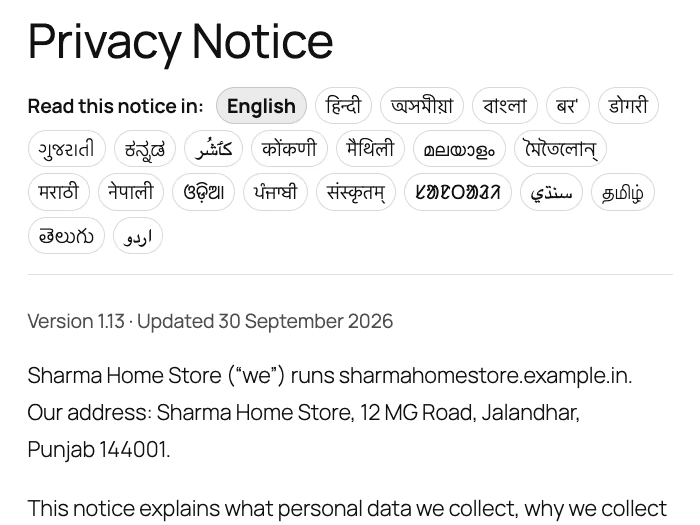
The languages
Assamese, Bengali, Bodo, Dogri, Gujarati, Kannada, Kashmiri, Konkani, Maithili, Malayalam, Manipuri, Marathi, Nepali, Odia, Punjabi, Sanskrit, Santali, Sindhi, Tamil, Telugu and Urdu. Kashmiri, Sindhi and Urdu are shown right to left.
The 21 translations ship as drafts. Have a native speaker check each one before relying on it.
Choose which languages to offer
The table is headed The 22 languages, plus English. Each row shows:
- In the banner: tick to offer the language.
- Language: its own name and its English name.
- Banner wording: the state of its translation.
- Privacy notice page: an optional page for that language.
- Preview and Edit wording links.
- Tick each language you want to offer.
- Click Save languages.
Ticked languages appear in the banner's language menu. English and Hindi show as buttons at the top of the banner. The other languages appear in a More languages menu next to them.
The Banner wording column shows one of these:
| State | Meaning |
|---|---|
| Source language | English, the base wording. |
| On. Edit it on Banner and notice | Hindi is on. Edit it on the Banner and notice tab. |
| Off. Turn on the Hindi switch on Banner and notice | Hindi is off in the free plugin. |
| Draft: have a native speaker check it | A shipped draft translation. |
Edited on this site appears under a language you have changed.
Preview a language
Click Preview in a row. It opens your home page with the banner showing in that language. Preview only works for languages ticked and saved above.
Correct the wording
- Click Edit wording in the row.
- Each English line is shown next to its translation. Change any line.
- Click Save wording.
Your changes are kept when Pro updates. Lines you changed show Edited. To go back to the shipped draft, click Undo all edits for this language. Click All languages to return to the table.
Privacy notice page per language
If you use the Privacy notice tab, your notice page already shows the notice in every ticked language, and the banner links each language to it. Leave Privacy notice page on None yet.
Choose a page only for a language whose notice you wrote yourself on a separate page. The banner's Full notice link then opens that page for visitors using that language.
If you point languages elsewhere while a notice page exists, a note says so. Click Set every language to None to clear them all in one step.
How the banner picks a language
The banner uses, in order:
- the language in a preview link
- the language the visitor picked before, remembered in their browser
- the visitor's browser languages
- your site's language
For a list of links to your notice in each language, see [kvn_dpdp_notice_languages] in Shortcodes.